
You run the agents.
You still read the code.
A fast, cross-platform terminal with tabs, split panes and real shells, for people who run coding agents all day. It stays out of your way like any terminal, then adds a few panels that show what the agents are actually doing.
An open-source alternative if you have been looking for Warp without the lock-in, or tmux that understands agents.
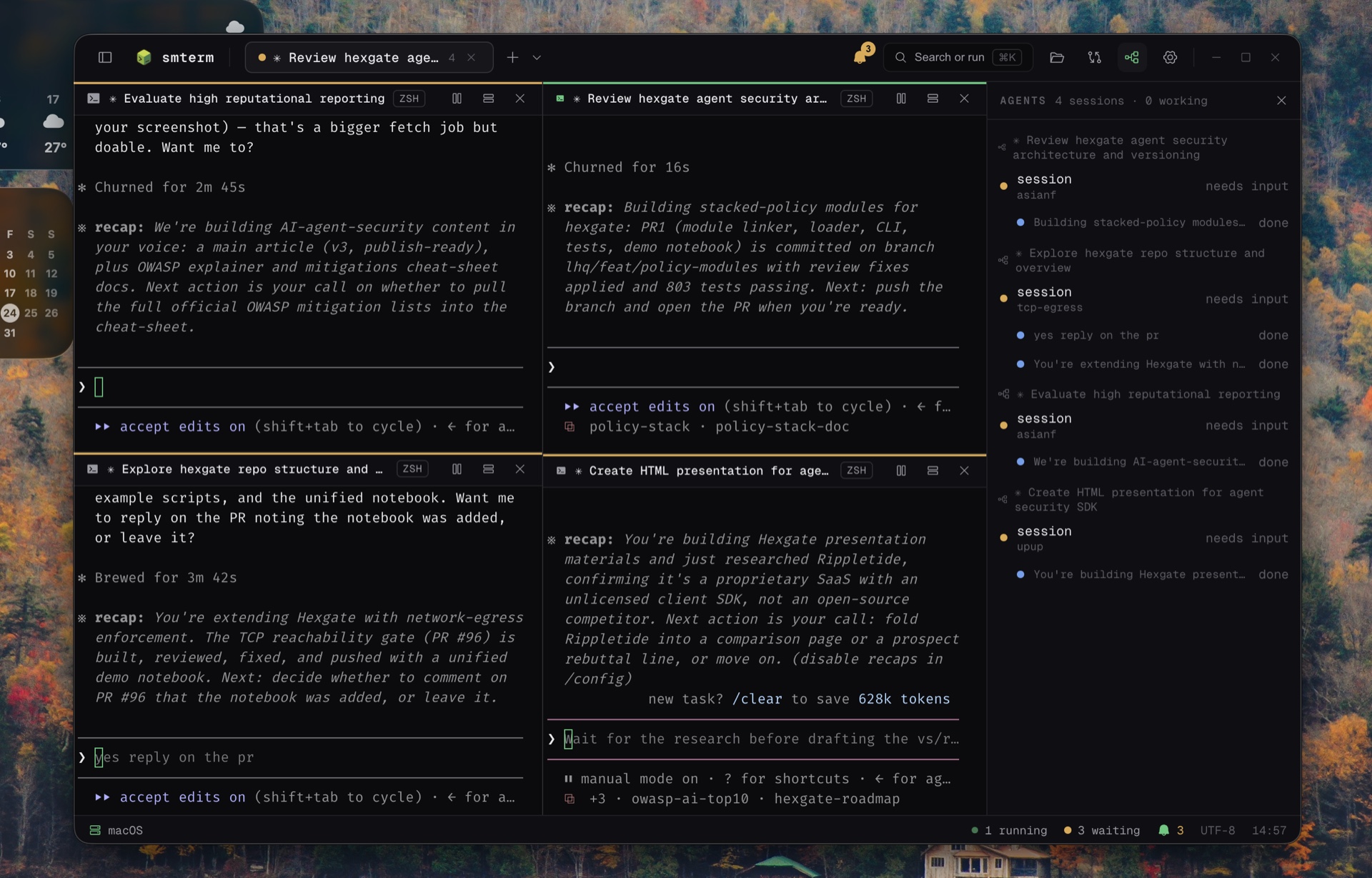
You find the finished agent an hour late.
Launch a few agents from a plain terminal and two things go wrong. You lose track of which pane is waiting on you, and you never really see what changed. So you either babysit one pane, or you come back later and read a diff with no idea who wrote it.
A normal terminal, plus the panels you keep wishing for.
Nothing here gets in the way of the shell. The panels sit next to it and answer one question: what happened, not just that something did.
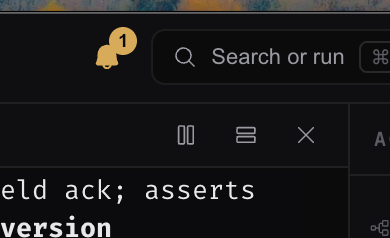
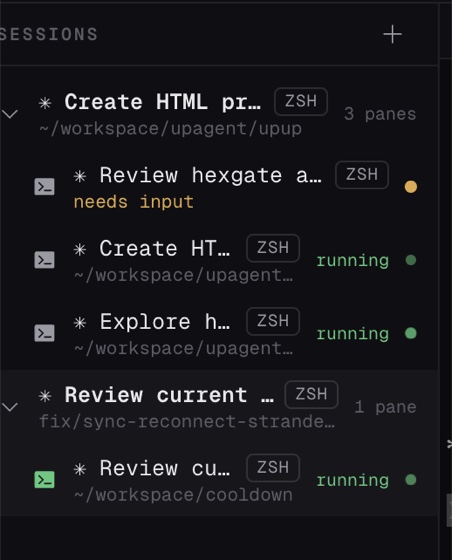
Working, waiting for input, or done. It shows as a dot on the tab and in the sidebar, and a background pane that wants you sends a native OS notification.
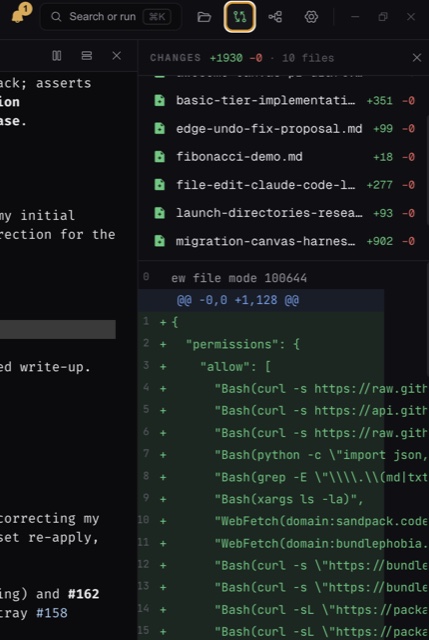
A git diff for the focused pane's working directory, with per-file counts and the full unified diff. Branch and ahead/behind sit in the status bar.
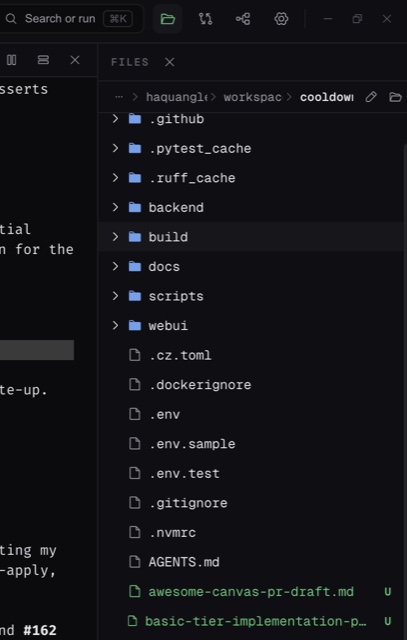
A per-folder listing rooted at the pane's directory, loaded as you open folders. Changed files carry git badges, folders get tinted. Click one to read it inline or open it in your editor.
Tabs and resizable splits. Split a pane and it keeps your shell and your directory. Quit, reopen, and your layout comes back.
One shortcut for new sessions, splits, theme switching and settings. Copy, paste and find in scrollback work the way you expect.
I like reading the code an agent writes.
I love the terminal, and the easiest way to put an agent like Claude Code to work is to launch it from a CLI. My work moves between macOS and Linux a lot, and sometimes WSL on Windows, so a terminal that behaves the same on all three matters to me.
The other half is that I like reading what an agent wrote and making the edits myself. A plain terminal makes that hard. You lose track of which session needs you, and you never really see what changed.
So I built the terminal I wanted. It keeps the shell I already like and adds just enough to stay in the loop. The Changes, Files and Agents panels show what happened, not just that something did.
Pick the one that makes you want to open it.
Minimal Dark, Tokyo Night, Catppuccin and Gruvbox, with bundled fonts and ligatures. Font family, size, line height and cursor blink all live in the settings file.
Settings live in a single JSON file that is the source of truth. Edit it by hand or through the in-app panel. A watcher re-applies your changes as you save.
One line, then you are in a shell.
Electron, React, TypeScript, xterm.js on the WebGL renderer, and node-pty for the shells. Zustand for state, react-resizable-panels for the layout, Vitest for tests.
Logic sits in small pure modules with real tests. Design notes and decisions live in docs/, starting with ARCHITECTURE.md and ROADMAP.md.
Questions I get asked.
How is this different from tmux or a normal terminal?
smterm is a normal terminal first. Tabs, resizable splits, your own shell, your own directory. What it adds is a small set of panels that answer what happened while an agent was working: Changes, Files, and the Agents board. Nothing replaces the shell you already use.
Does it actually work on Windows?
Yes, on Windows and inside WSL, alongside macOS and Linux. That was the reason I started it, since my work moves between the three. Windows and WSL are the newest of the three targets, so they have seen less real-world use so far.
Which agents does it support?
The Agents board reads Claude Code hook events, so Claude Code is what it understands today. The code underneath makes no assumption about which agent is running, so other agents can plug in later. Any agent CLI still runs fine in a pane, it just will not show up on the board.
Do I have to configure hooks or edit a global config?
No. smterm wires the panes it launches itself, so there is nothing to install and no global config to edit. It also means an agent you started in some other terminal will not appear on the board.
Where do settings live?
In one JSON file that is the source of truth: ~/.config/smterm/settings.json on macOS and Linux, %APPDATA%\smterm\settings.json on Windows. Edit it by hand or through the in-app panel. A watcher re-applies changes as you save.
Is it free, and can I fork it?
It is MIT licensed and open source. Clone it, read it, fork it, ship your own version. If it turns out useful to you, a star helps other people find it.